Can AI Read Your Website and Tell Customers What You Offer?
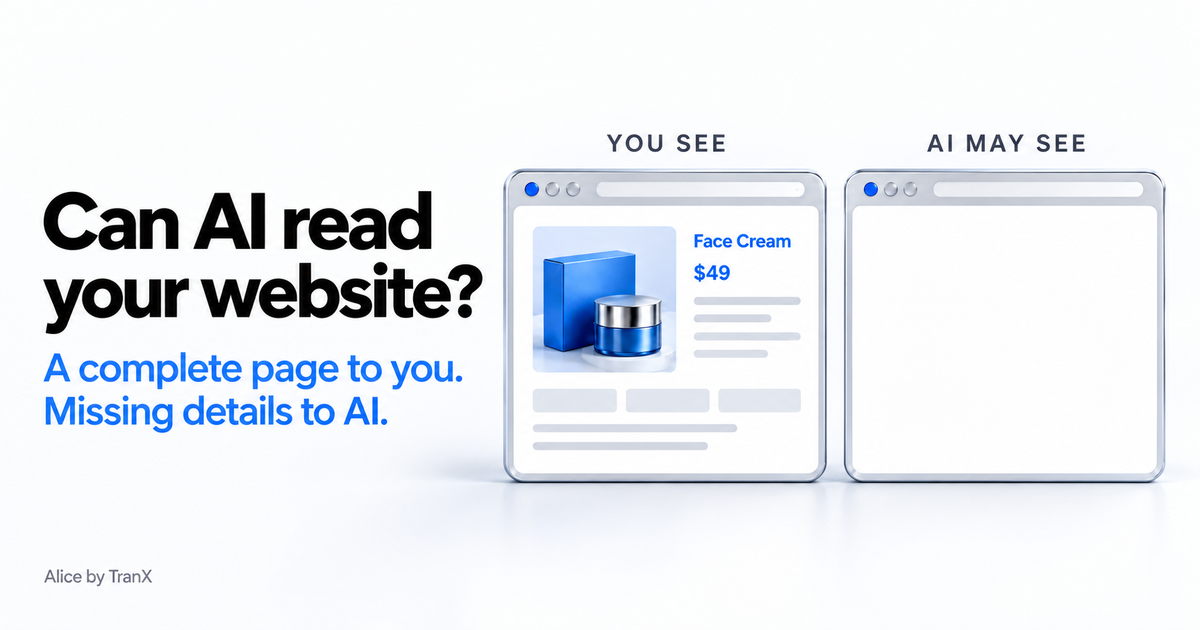
When someone asks AI about your business, can it read your products, prices and other key details? A website can look complete to you while those details are invisible to some AI tools. If they cannot read what you offer, they may leave important details out of their answers to potential customers.
Being readable helps AI understand your business. It does not guarantee that AI will find or recommend you. This experiment tests one part of that journey: what happens when you give an AI your page's address and ask it to read it.
We made up a company. We gave it a mascot, a hometown and a price, and put them on its website five different ways. Then we asked ChatGPT, Claude and Gemini to read it. On three of the five pages, four of the five AI tools told us there was nothing there. To a person, every page looked completely normal.
The short answer: AI can read your website if your words are part of the page itself. Some sites, often ones built like apps, add their words a moment after the page loads, or tuck them inside the page's code. People never notice. Most of the AI tools we tested did: they saw a blank page. (ChatGPT's app found a way around it. More on that below.)
You may have heard that AI can't read websites built this way. We've said it ourselves, in How AI reads your website. It isn't rare, either: of about 100 sites people ran through our free scan, 6 had almost no words in the page itself until the site's code ran. So we stopped repeating the advice and tested it, with facts that exist nowhere else on the internet.
The setup: five ways to deliver the same facts
Our made-up company sells software to independent bookshops, and its website lives on a brand-new domain. We'll publish the name and address in Part 2. Publish them now and the test is ruined, because anyone could repost the answers.
The site has five product pages. Each one states three facts we made up: the town where the product was “first tested”, the name of its mascot, and its monthly price. None of these facts exists anywhere else on the internet. If an AI repeats one, it got it from our page. The footer of every page says the company is fictional and nothing is for sale.
The five pages deliver their facts differently:
| Page | How the facts arrive |
|---|---|
| 1 | In the HTML, like a normal server-rendered or static page |
| 2 | Only in a JavaScript file, as plain text, like most React or Vite apps |
| 3 | Only in a JavaScript file, scrambled, so they appear only if the code actually runs |
| 4 | Only inside a data block in the HTML (a JSON script), with nothing visible on the page |
| 5 | A real Next.js App Router page: one fact rendered on the server, one streamed in a moment later, one added by code in the browser |
Think of the first three as notes on a front door. One is taped on. One is inside a sealed envelope. One is in an envelope, written in code. Pages 4 and 5 copy two common ways modern sites are built, which readers asked us to test after Part 1 went up.
The test: here's the URL, what does it say?
The same words can arrive two ways
Words arrive with the page
AI opens the page → the facts are already there.
All five tools read our plain HTML page.
Code supplies the words separately
Product · Price · Contact
Your browser puts them together. An AI may stop at the empty page.
Four of five tools missed our JavaScript-only facts.
On October 21 and 22 we gave each AI the page's address and asked it to list every fact the page states. We also read our own server logs, which show exactly who fetched what, and whether anything asked for the JavaScript file.
| Page 1 (HTML) | Page 2 (JavaScript) | Page 3 (scrambled JavaScript) | Page 4 (data in the HTML) | |
|---|---|---|---|---|
| ChatGPT app GPT-6.1 Sol | all 3 facts | all 3 facts | all 3 facts | all 3 facts |
| Claude app Opus 5.5, medium effort | all 3 facts | nothing | nothing | nothing |
| Gemini app Auto | all 3 facts | nothing | nothing | nothing |
| ChatGPT (API, web search) gpt-4.1-mini | all 3 facts | nothing | nothing | nothing |
| Claude (API, web fetch) claude-sonnet-5 | all 3 facts | nothing | nothing | nothing |
On pages 2 to 4, four of the five saw what the old advice predicts: the meta description, the footer, and an empty room. The logs agree. ChatGPT-User, Claude-User and Google's fetcher each requested the page and never asked for the JavaScript. On page 4 the facts were sitting in the HTML the whole time, inside a script block, and they dropped them anyway.
One piece of good news: nobody made anything up. Every AI that couldn't find the facts said so plainly. Claude even suggested the content might be “rendered client-side by JavaScript”, which is exactly what was going on.
What ChatGPT did differently
The ChatGPT app found everything, including the scrambled facts. Our logs show how.
It fetched page 3 and got the empty shell. Twelve seconds later the same visitor came back, from an address block registered to OpenAI, and downloaded the JavaScript file. Then it pulled the facts out of the code, unscrambling them along the way. It did the same on page 2.
On page 4 it didn't need any JavaScript: it read the facts straight out of the data block in the HTML. On page 5 it downloaded exactly one file, the script that held the price, and none of the framework's other files.
It didn't render the page like a browser: it asked for nothing else a browser would load. It read the code the way a developer would. Claude and Gemini read the menu. ChatGPT walked into the kitchen and read the recipe.
That's clever, and you shouldn't build on it. It happened in one app, after we explicitly asked it to read the page. ChatGPT's ordinary page fetcher, the one its search uses, did not do it.
What about Next.js?
One app took an extra step
1. Open the page
The ChatGPT app first received the empty page.
2. Fetch the code
It then requested the separate file containing the facts.
3. Read the facts
It recovered the words from the code, including scrambled text.
A reader asked whether a modern Next.js site behaves like page 4. By default it doesn't: Next.js normally renders pages on the server, so the words are in the HTML. So page 5 is a real Next.js App Router page, built with the framework's own tools, with each fact delivered a different way:
| Page 5 (Next.js App Router) | ChatGPT app | Claude app | Gemini app | ChatGPT API | Claude API |
|---|---|---|---|---|---|
| Rendered on the server | yes | yes | yes | yes | yes |
| Streamed in a moment later (React Suspense) | yes | no | yes | yes | no |
| Added by code in the browser (client component) | yes | no | no | no | no |
Server-rendered Next.js pages are fine: every AI tool read that part. Two things aren't. Anything inside a Suspense boundary reaches Claude as the placeholder, and Claude's app told us the page said “Loading details...”. Anything a client component adds after the page loads reached only the ChatGPT app.
What Google said
Google can't be handed a URL, so we searched it for our fake company by name instead. Google has never seen the site, but its AI Overview filled the gap anyway. On both days it matched one of our products to a real fragrance studio with a similar name. On day two it did say one product doesn't exist, then added that our company's name is “a purely fictional town” made up by some website. ChatGPT and Claude, asked the same questions through web search, said they found nothing.
So does server-side rendering (SSR) matter?
Mostly, it's the wrong question. Our page 1 isn't server-side rendered at all. It's a plain HTML file, and it worked perfectly everywhere. What separated the results was whether the facts were in the HTML the server sent. Server-side rendering, static generation and prerendering all get you there.
What Part 1 shows:
- When an AI opens your page, it usually reads only the visible HTML. On every page where the facts needed JavaScript or sat inside a script block, four of five AI tools saw nothing.
- One AI working around it doesn't make it safe. You don't control which app, model or mode your buyer uses.
- Checking takes ten seconds. Open your website in Chrome, right-click the page and choose View Page Source. Then search that page for your price or your product name. It has to be in the page's text, not only inside a block that starts with
<script. If it isn't there, most AI tools can't see it either. - On Next.js, keep key facts out of Suspense and client components. Render your product, pricing and contact details on the server.
Developers can run the same check from a terminal:
curl -s https://yoursite.com/pricingWhat Part 1 doesn't answer yet is the bigger question. Most AI answers come from a search index, not from a live visit. Google says it runs JavaScript before indexing, and OpenAI's and Anthropic's training crawlers have both downloaded our JavaScript files. So when a buyer asks about our fake company by name, with no URL, will the hidden facts show up? We're asking every day this week. Part 2 has the answer, and the company's name.
How we tested
- Date: one fictional site, five product pages. Pages 1 to 3 were tested on October 21, 2026, and pages 4 and 5 on October 22.
- Prompt: “Read [URL] and list every fact the page states: what the product does, where it was first tested, its mascot, and its price.”
- Apps: ChatGPT (GPT-6.1 Sol), Claude (Opus 5.5, medium effort) and Gemini (Auto), normal chat with web access, one fresh chat per page. The same apps ran the October 22 tests.
- APIs: OpenAI
gpt-4.1-miniwith web search, and Anthropicclaude-sonnet-5with web fetch. - Google: searched by product name (US, English) on October 21 and 22, 2026.
- Page 5: built with Next.js 14 (App Router). We captured the output of the framework's own server and served it as a file, so the streamed part arrived at the same time as the rest.
- Claude app note: on October 21 it answered from a copy Anthropic had fetched about 20 minutes earlier, during our API run. That copy had no JavaScript either. On October 22 we gave it fresh addresses, so it fetched pages 4 and 5 itself.
- Evidence: our CDN access logs record every request, with its user agent and IP address.
- Limits: one try per page per app, and results can change with the model.
To see what your own HTML says, run the free scan. It checks whether AI crawlers can read your content without running JavaScript, which AI crawlers your robots.txt allows, and your schema markup. No signup.
Questions people ask
Why does it matter whether AI can read my website?
When a potential customer asks AI about your business, your website can supply details such as what you sell and what it costs. If an AI tool cannot read those details, it may leave them out of its answer. Readability helps AI understand your business, but does not guarantee that it will find, cite or recommend you. This experiment tested reading pages directly, not customer recommendations.
Can AI read my website?
Usually yes, if your words are part of the page itself. Some sites add their words a moment after the page loads, which is common for sites built like apps. On those pages, four of the five AI tools we tested saw a blank page, and only the ChatGPT app found the words, by reading the site’s code.
Does ChatGPT run JavaScript?
Its page fetcher, ChatGPT-User, did not in our test: it read only the HTML. The ChatGPT app went further on every hidden page: it downloaded the JavaScript file, or read the data block in the HTML, and found the facts. That depends on the app and model, so do not rely on it.
Is Next.js bad for AI search?
No, as long as your pages render on the server. In our test every AI tool read the server-rendered text on a Next.js App Router page. Content streamed in through React Suspense reached ChatGPT and Gemini but not Claude, which saw the loading placeholder, and content added by client components reached only the ChatGPT app.
Does server-side rendering matter for AI search?
What matters is whether your key facts are in the HTML your server sends. Server-side rendering, static generation and prerendering all do that. In our test, four of five AI fetchers saw nothing that lived only in JavaScript.
How do I check whether AI can read my page?
Open your website in Chrome, right-click the page and choose View Page Source, then search for your price or your product name. It has to be in the page text, not only inside a <script> block. If it is not there, most AI tools cannot see it. Our free scan runs the same check for you.
Check whether AI can read what you offer
Alice checks whether AI crawlers can read your pages without running JavaScript, then asks your buyers’ questions on Google AI Overviews, ChatGPT and Claude. The free plan checks five questions every week.
Try Alice Free